
How to Clone Your Voice Locally With VoiceStudio
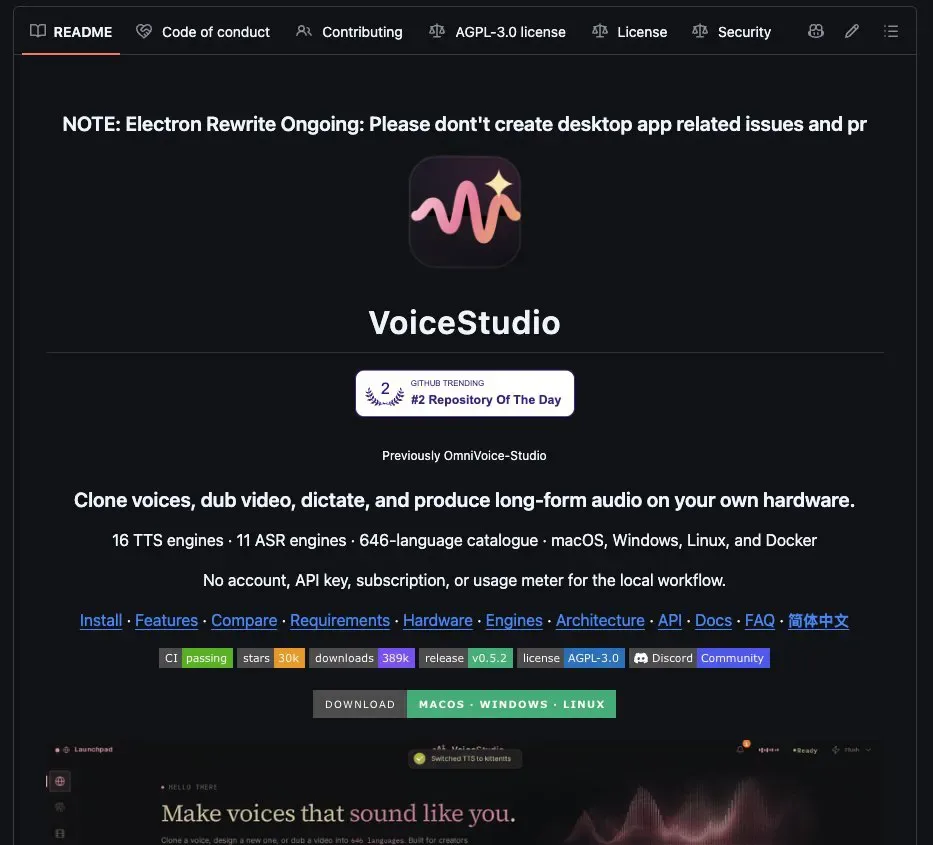
Tired of paying a subscription every time you need a decent AI voice? A solo developer open-sourced VoiceStudio, and it runs on your own machine instead of someone else's servers.
There is no account to make, no API key to paste, and no usage limit to bump into. It handles 646 languages across 16 voice engines, plus video dubbing and audiobooks.
What You Need
- A computer with at least 8GB of RAM. A GPU is optional.
Tutorial
- Download VoiceStudio from https://github.com/debpalash/VoiceStudio. It is open source, so you can read the code before you run anything on your machine.
- Upload a 10-second recording of your own voice. Ten seconds is all the clip needs to be, so a quick phone recording works fine.
- Type the text you want spoken.
- Generate the audio. The same install also does video dubbing and audiobooks once it is running.
Wrapping Up
You now have a voice platform living on your own hardware, with your recordings staying on your disk rather than a company's cloud. Start with the 10-second clone, then poke around the other engines to hear how each one handles your voice. If it holds up, that is one subscription you can cross off.
Does this still work?
Nobody's checked yet
Sign in to tell everyone how it went.
Continue with GoogleBe the first — one tap saves the next person an hour.
It takes 3 reports in 30 days to set the status.
More shares you might like
 ToolsHow to Use Group By in Amazon Associates Reports1d37 views
 ToolsHow to Make Fireworks AI Videos With ChatGPT and Flow1d26 views
 AIAnthropic's AI-Native SDLC Playbook, Explained2d39 views
 NewsTanStack Start 1.0 Is Stable3d51 views
 AIDolphin 2.9.2 Runs Uncensored Llama 3 8B on 6GB VRAM3d40 views
 NewsDeepSeek V4 Pro Is a 1.6T Open-Weight Model With a 1M Context4d62 views
Comments
Join the conversation — sign in to comment.
No comments yet — start the conversation!