
How to Create Idea Lists on Amazon Influencer
Sorting your Amazon recommendations into categories is easier than it looks. An Idea List puts each product type on its own shelf, so visitors stop scrolling through one long pile and start finding what they came for.
Setting one up takes a few minutes inside the storefront you already have. A specific list name — DIY Craft Kits, Desk Finds, gadget picks — does most of the work for you.
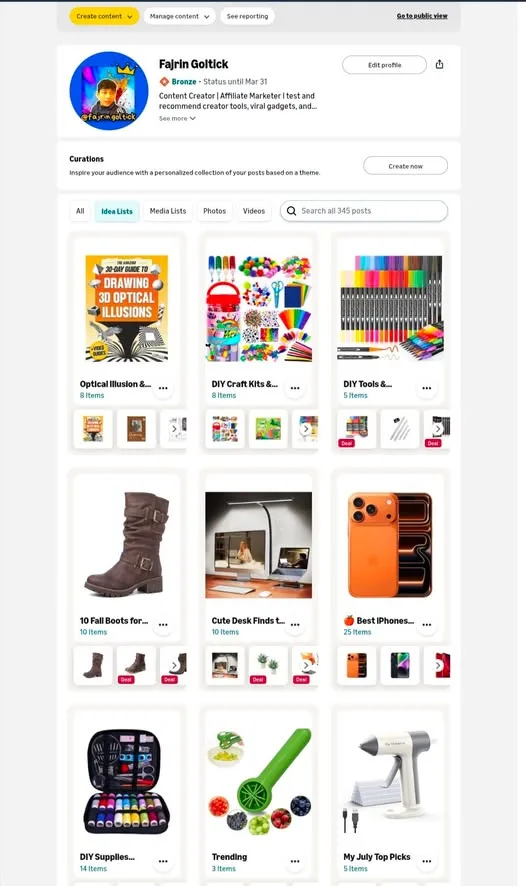
What You Need
- An Amazon Influencer account.
Tutorial
- Sign in to your Amazon Influencer account.
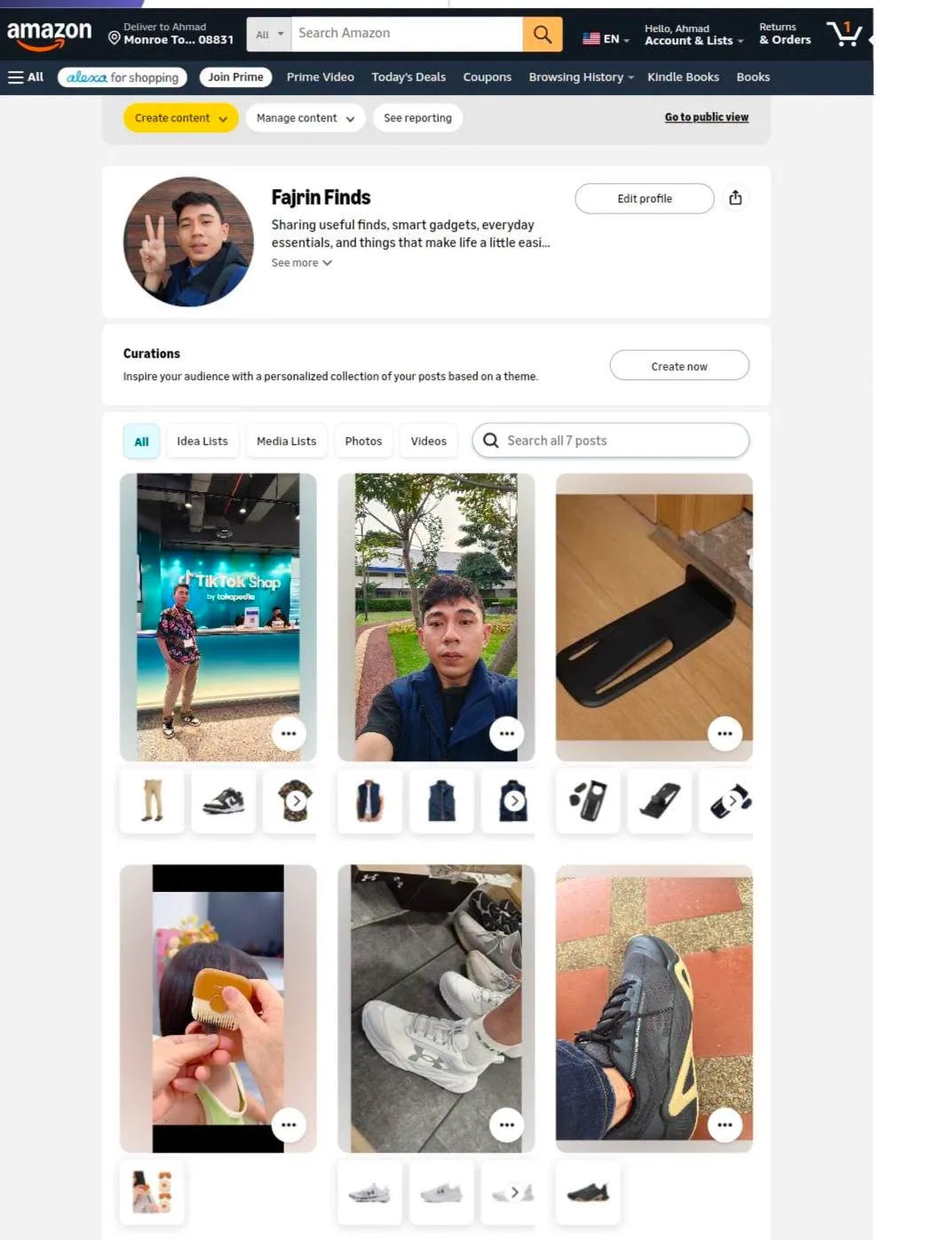
- Open your storefront or Amazon shop page. This is the page shoppers land on, so the lists you build here are the ones they see.
- Choose Create content, then find the option to create an Idea List.
- Enter a name for the list that matches the product category you're recommending. Keep it specific — DIY Craft Kits, DIY Tools, Desk Finds, or a gadget list — so visitors know what is inside before they click.
- Add the relevant products to that list. Group things that genuinely belong together rather than tossing in everything you like.
- Arrange the order of the products and check the result before you publish. Once it looks right, publish it and it goes live on your storefront.
Wrapping Up
You now have a category list on your Amazon storefront that shoppers can browse by need instead of by chance. Build a few more around the things you actually recommend, and keep each one narrow enough that the name alone tells people what they will find. A tidy storefront is easier to explore, and that is the whole point of splitting your picks up this way.
Does this still work?
Nobody's checked yet
Sign in to tell everyone how it went.
Continue with GoogleBe the first — one tap saves the next person an hour.
It takes 3 reports in 30 days to set the status.
More shares you might like
 ToolsHow to Make 20-Second AI Reels in Flow1d19 views
 ToolsHow to Get Up to 6 Months of Free Notion1d24 views
 ToolsHow to Get a Free Month of Google AI Pro2d32 views
 ToolsHow to Get a Free .tech Domain for a Year3d88 views
 ToolsHow to Find Products to Recommend on Amazon Influencer4d38 views
 NewsClaude Agent Traces Now Show Up in Langfuse4d48 views
Comments
Join the conversation — sign in to comment.
No comments yet — start the conversation!