
How to Make Viral Bird Nest Videos With Google Flow
Looking for an AI video niche that still pulls views? The bird nest build is one of them right now, and it runs on two tools you probably already have open: ChatGPT and Google Flow. This is the six-step version, and the master prompt is already written for you.
ChatGPT picks the idea and writes the prompt, Google Flow turns that prompt into the clip. No camera, no editing software, just a copy and a paste.
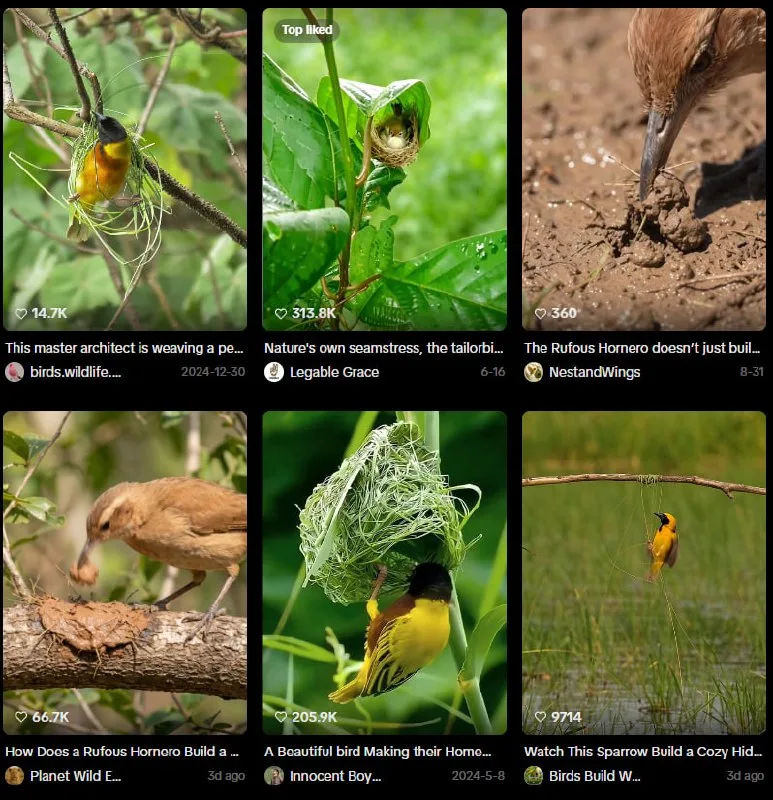
Tutorial
- Prepare ChatGPT and Google Flow before you start.
- Open ChatGPT and copy the Master Prompt from https://web.facebook.com/impreneurid/posts/pfbid06QBL4Vb3nZsmGVqrY8qcwQkPt3fHFizueVNaEeMAgAeHDjYTkjNsivn3jU1wQrjHl. The master prompt is pinned in that post, so you can copy it straight out.
- Pick the response you want from the 1-10 options ChatGPT gives back. It hands you ten numbered takes on the idea, so scroll and choose the one that fits.
- Copy the Master Video Prompt out of that response.
- Open Google Flow and select the Omni Flash model.
- Paste the prompt into Flow and generate the video.
Wrapping Up
That is the whole loop: prompt in, video out. Run it again with a different one of the ten responses and you have your next post ready. Pick a niche you actually enjoy watching, because the idea is the part you will keep coming back to.
Does this still work?
Nobody's checked yet
Sign in to tell everyone how it went.
Continue with GoogleBe the first — one tap saves the next person an hour.
It takes 3 reports in 30 days to set the status.
More shares you might like
 ToolsHow to Use Group By in Amazon Associates Reports1d37 views
 ToolsHow to Make Fireworks AI Videos With ChatGPT and Flow1d26 views
 AIAnthropic's AI-Native SDLC Playbook, Explained2d39 views
 NewsTanStack Start 1.0 Is Stable3d51 views
 AIDolphin 2.9.2 Runs Uncensored Llama 3 8B on 6GB VRAM3d40 views
 NewsDeepSeek V4 Pro Is a 1.6T Open-Weight Model With a 1M Context4d62 views
Comments
Join the conversation — sign in to comment.
No comments yet — start the conversation!