
How to Make AI Jelly Object Videos With Google Flow
Want to make those glossy jelly-object videos everyone is posting? Google Flow can generate them in minutes, and you don't need any video editing skills. This share walks you through the exact setup.
You get a photorealistic AI clip of any object as a wobbly, glowing gel — great content for building a new account. The Omni Flash tool does the heavy lifting, and the prompt does the rest.
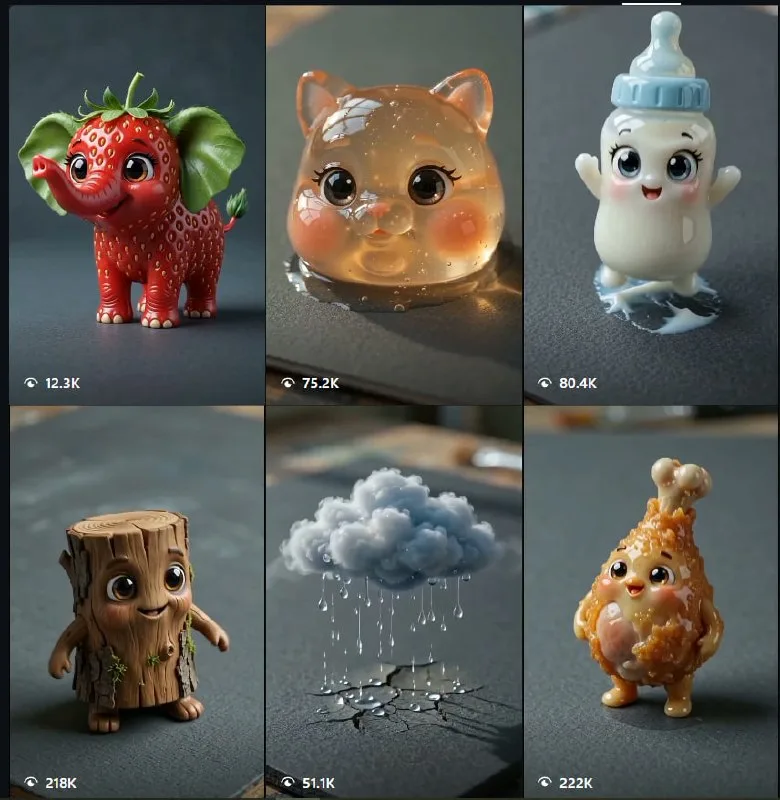
Tutorial
- Open Google Flow and sign in to your account.
- Go into your Flow workspace.
- Pick New Project or Open Project to start.
- Choose Video, then select Omni Flash.
- Paste the prompt below, swap [Object] with your object, and hit Generate.
A macro close-up video of a hand gently squeezing a metallic tube. Instead of ordinary liquid, an ultra-detailed, translucent, glowing gel smoothly flows out from the silver nozzle, naturally forming the shape of a cute little [ Object ] as it extrudes. The gel [ Object ] has a glossy, jelly-like texture with soft reflections and a slightly wobbly appearance. It settles onto a dark matte grey textured surface scattered with a few realistic water droplets. Ultra-photorealistic, cinematic macro cinematography, shallow depth of field, premium 3D render quality, dramatic studio lighting, vibrant colors, crisp surface details, luxury product photography aesthetic, 8K resolution- Download the generated video and edit it further in your own editor.
Wrapping Up
You now have a jelly-object video you can post right away. Change the [Object] in the prompt to anything you like — a strawberry, a duck, a phone — and Google Flow will render it for you. Run it a few times to get a clip you love.
Does this still work?
Nobody's checked yet
Sign in to tell everyone how it went.
Continue with GoogleBe the first — one tap saves the next person an hour.
It takes 3 reports in 30 days to set the status.
More shares you might like
 ToolsHow to Get 12 Months of Adobe Express Premium Free33m2 views
 ToolsHow to Use Group By in Amazon Associates Reports1d38 views
 ToolsHow to Make Fireworks AI Videos With ChatGPT and Flow1d27 views
 AIAnthropic's AI-Native SDLC Playbook, Explained3d41 views
 NewsTanStack Start 1.0 Is Stable4d51 views
 AIDolphin 2.9.2 Runs Uncensored Llama 3 8B on 6GB VRAM4d40 views
Comments
Join the conversation — sign in to comment.
No comments yet — start the conversation!