
How to Edit Photos With ChatGPT Slash Commands
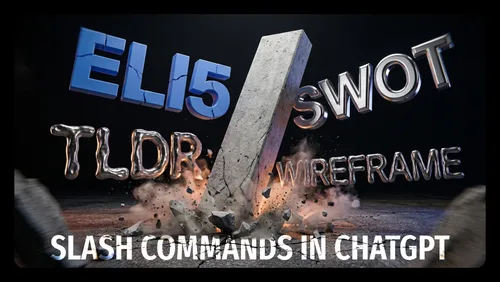
If you keep asking ChatGPT for the same photo edits, the wording is the hard part. This is a ready-made set of slash commands one creator uses for photo work on a character named Hanna — outfit, pose, camera angle, background, lighting, style, and cleanup. You type the command instead of writing a paragraph.
Everything runs in ChatGPT, and the list stretches from /transferoutfit to /addlogo.
What You Need
- Access to ChatGPT, since every command here is a ChatGPT command.
- A reference photo for the commands that say "transfer".
Tutorial
- Open ChatGPT and start a new chat.
- Type /transferoutfit to move an outfit from a reference photo onto Hanna. Use /changeoutfit when you would rather describe the change yourself.
- Pick a ready-made look with /formaloutfit, /businessoutfit, or /blazer. /noapron removes the apron for shots where it does not fit.
- Rework the hair with /changehair or /transferhair. /changeaccessory and /removeaccessory do the same job for what she is wearing.
- Set the pose with /transferpose or /changepose. The list also carries fixed poses: /standingpose, /sittingpose, /walkingpose, and /consultpose.
- Fix the hands with /handpose or /crosshand. /fullbody and /halfbody control how much of her ends up in frame.
- Choose a camera angle with /closeup, /lowangle, or /highangle. /birdseye, /dutchangle, and /overtheshoulder sit in the same group.
- Swap the background with /transferbackground or /changebackground. /storeinterior, /storeexterior, and /differentstore set the location for you.
- Empty the store out when the shot calls for it. /emptyshop, /norack, /nogoods, and /nofurniture strip the racks, the stock, and the furniture away.
- Set the light with /naturalLight, /softlight, /studioLight, or /cinematicLight. /goldenhour and /dramaticlight cover the warmer and the heavier looks.
- Pick the photo style with /photorealistic, /commercial, or /editorial. /corporate, /fashion, and /lifestyle are in the same set.
- Push the quality with /hd, /superhd, or /enhancedetail. /realistictexture keeps skin, fabric, and the surroundings from going smooth and fake.
- Handle logos and objects with /addlogo, /removelogo, or /removeobject. /addlogo is the one that drops in the official Premium Rakindo logo.
- Finish with the expression and the framing. /smile, /professionalexpression, and /confident set the face, and /negativeSpace leaves room for text.
Wrapping Up
You now have the whole command set in one place, grouped the way the shots get built: fix the person first, then the place, then the light. Keep it open beside ChatGPT so you can copy a command instead of retyping it. The commands are written around a character called Hanna and a Premium Rakindo logo, so read them as one person's working setup rather than a fixed rulebook.
Does this still work?
Nobody's checked yet
Sign in to tell everyone how it went.
Continue with GoogleBe the first — one tap saves the next person an hour.
It takes 3 reports in 30 days to set the status.
More shares you might like
 AIHow to Get Free Unlimited GPT-6.1 Sol API Access8h17 views
 AIHow to Get $20 of Free Perch AI Credits Monthly1d41 views
 AIEarshot v0.3 Ships 201 Code-Generated Sound Effects2d48 views
 AIHow to Make Trampoline AI Videos for Instagram Reels2d37 views
 ToolsHow to Get 12 Months of Adobe Express Premium Free3d47 views
 ToolsHow to Use Group By in Amazon Associates Reports4d60 views
Comments
Join the conversation — sign in to comment.
No comments yet — start the conversation!