
How to Access Gemini 4 Neon and Hydrogen With Gmail
Hunting for a way into Gemini 4 Neon and Gemini 4 Hydrogen without a paid plan? Good news. If you already have a Gmail account, the source says that is the only thing you need to get in.
There is no extra signup form and no card to add. You sign in with the Gmail you already use, flip the mode switch, pick the model from the list, and start typing.
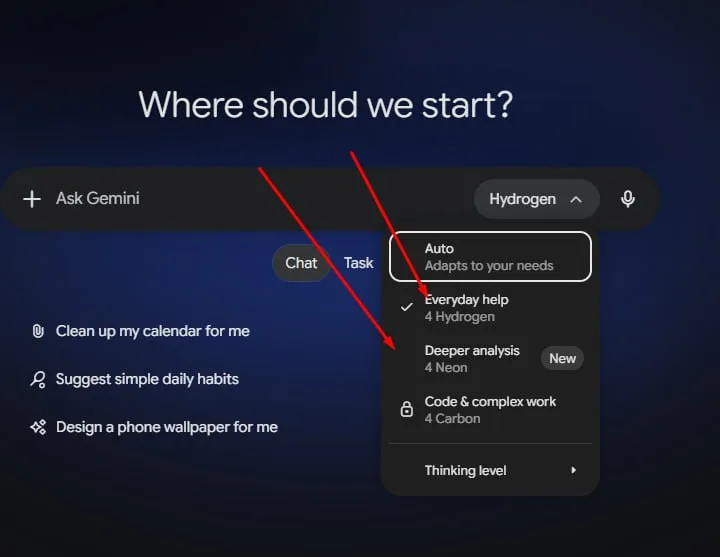
Tutorial
- Get one Gmail account ready. That is the only account the source uses to reach Gemini.
- Sign in at https://gemini.google.com/ with that Gmail. This is the page where the whole flow starts.
- Select Switch Mode. It is the control that changes which model handles your prompts.
- Pick the AI model from the list that opens up.
- Choose 4 Neon or 4 Hydrogen, enter your prompt, and generate. Either model takes it from there.
Wrapping Up
You now have a working way into Gemini 4 Neon and Gemini 4 Hydrogen that costs nothing beyond the Gmail you already own. Open it once, try both models with the same prompt, and see which one answers the way you want. From then on it is the same three clicks every time.
Does this still work?
Nobody's checked yet
Sign in to tell everyone how it went.
Continue with GoogleBe the first — one tap saves the next person an hour.
It takes 3 reports in 30 days to set the status.
More shares you might like
 AIHow to Give Your AI Agent a Motion Kit With MOTION.md1d34 views
 AIAutoHarness Turns Claude Code Sessions Into Reusable Skills3d43 views
 AIboss-skill Turns AI Coding Agents Into a Full Dev Team4d65 views
 AIStand With Jensen Petition Passes 89,000 Signatures5d62 views
 AIHow to Break Down Any Video With rea-video6d89 views
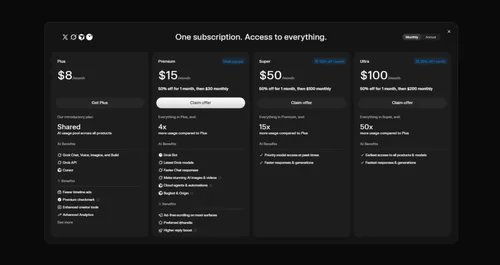 AIHow to Claim 1 Month of SuperGrok for Free1w110 views

Comments
Join the conversation — sign in to comment.
No comments yet — start the conversation!