How to Get Gemini Pro for 15 Months Free
Hey friend! Ever felt stuck figuring out how to use the latest AI tools without breaking the bank? Well, I've got some cool steps that could help us get Gemini Pro for free.
This guide walks you through getting Gemini Pro for 15 months and how to cancel so you don’t forget later!
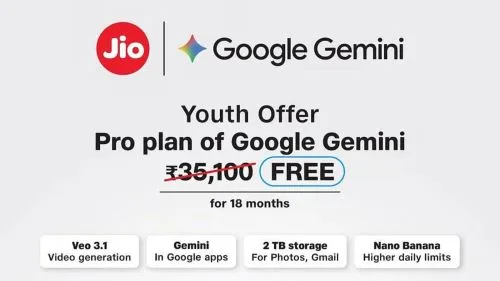
How to Subscribe:
1. Create a new account or use a Google account that has never been subscribed before.
2. Go to https://gemini.google/students/
3. Select "get over" > "verify student status."
4. Create an edu email account at https://tempumail.com
5. Copy the email and paste it into the verification email column.
6. Refresh the tempumail . com section and scroll down; open the email from Google. Copy the code for verification.
7. Make the payment (use the available payment methods).
8. If the 0 rupiah payment is successful, you will be asked to pay 309,000 rupiah on the bill after 15 months.
9. Up to this point, the subscription is successful.
How to Use Gemini Pro Veo 3
1. Install a VPN that is suitable for your device (I use veepn on my computer).
2. Set the location to America > then activate/turn on the VPN.
3. Congratulations, you can now create videos using Veo3 with cool, integrated sound effects.
How to Cancel the Subscription, So You Don't Forget Later
1. Go to your Google account.
2. Select the payment and subscription menu.
3. In the subscription menu, select manage subscription.
4. Select Google One > Cancel > other reasons > still cancel.
Hope this helps you dive into AI without any cost! If you found this useful, please share this share with your friends so they can benefit too.
Does this still work?
Nobody's checked yet
Sign in to tell everyone how it went.
Continue with GoogleBe the first — one tap saves the next person an hour.
It takes 3 reports in 30 days to set the status.
More shares you might like
 FreemiumHow to Get Free Figma Pro with Edu Email1y792 views
 How to Create Ai Video on Wanxiang1y747 views
 Get Free $200 Balance on Digitalocean1y810 views
 How to Get Access to Google Veo 31y630 views
 AIHow to Claim 100M Free Tokens on CodeCraft API1mo2,975 views
 AIHow to Claim 1 Billion Free Tokens on Muse AI1mo396 views
Comments
Join the conversation — sign in to comment.
No comments yet — start the conversation!