
JenExplorer
How to Make String Art Videos With ChatGPT and Flow
You want Reels footage that looks handmade but takes minutes to make, not hours. String art is that niche, and this share is the AI loop for it: ChatGPT writes the prompt, Flow turns that prompt into video.
It is one prompt in and one prompt out, and the only slow part is the wait while Flow renders.
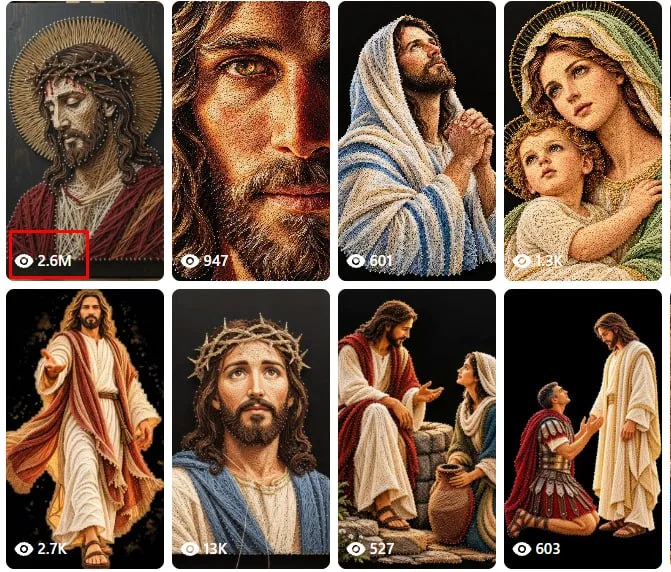
What You Need
- A ChatGPT account you can sign in to.
- Access to Flow.
Tutorial
- Open ChatGPT and paste in the Master Prompt. That prompt sits in this reel: https://web.facebook.com/reel/1788417552430666
- Pick the reply that gives you the video prompt, then copy it. Work through ChatGPT's responses until one hands you the video prompt you can carry into Flow.
- Open Flow, select omni, and paste the prompt in.
- Click Generate and wait for the clip to render.
Wrapping Up
You now have a loop you can run again and again: master prompt into ChatGPT, video prompt into Flow, footage out. Try it on a few string art ideas and keep the takes that look right for your Reels.
Does this still work?
Nobody's checked yet
Sign in to tell everyone how it went.
Continue with GoogleBe the first — one tap saves the next person an hour.
It takes 3 reports in 30 days to set the status.
More shares you might like
 ToolsHow to Fix a Stuck Shopee Video Verification Check1d53 views
 ToolsHow to Get a Free web.id Domain for One Year1d60 views
 ToolsHow to Get a Free .CV Domain From Codehost.in2d71 views
 ToolsHow to Create Idea Lists on Amazon Influencer4d46 views
 ToolsHow to Make 20-Second AI Reels in Flow5d46 views
 ToolsHow to Get Up to 6 Months of Free Notion5d47 views
Comments
Join the conversation — sign in to comment.
No comments yet — start the conversation!