
How to Make Garden Niche AI Video Ideas for Reels
Looking for content ideas for your Instagram reels and Facebook posts? This share pairs ChatGPT with Flow: one comes up with the idea and writes the prompt, the other turns that prompt into an AI video.
It is five moves from idea to footage, and nothing new to sign up for if both tools are already open. The niche here is garden, so the ideas are aimed at plant and green-space footage you can cut into reels.
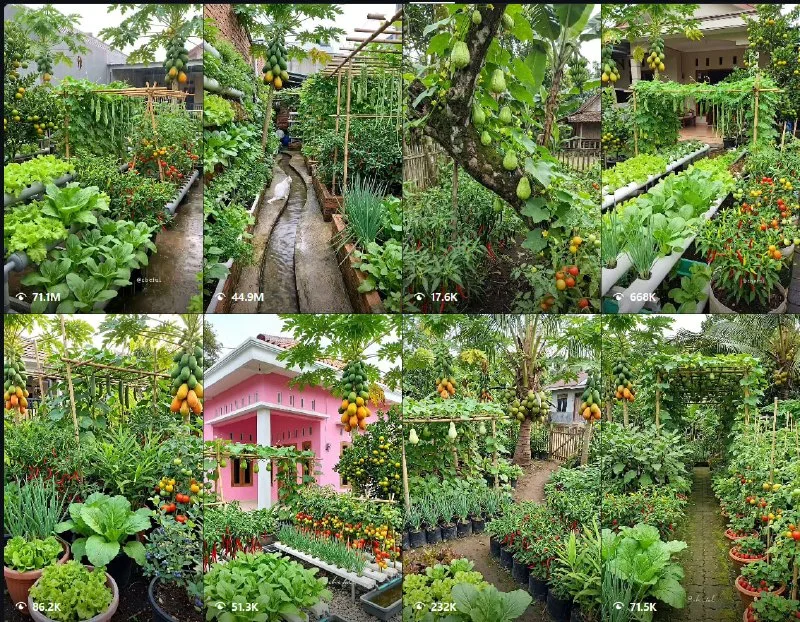
Tutorial
- Get ChatGPT and Flow open side by side. One holds the idea, the other makes the video.
- Pick one idea from the 1–10 options ChatGPT gives you. Ask for garden-niche AI video content ideas you can use as footage for Instagram reels and Facebook posts.
- Copy the video prompt for the idea you picked.
- Open Flow, choose VEO/Omni flash, and paste the video prompt in. The prompt goes where the tool asks for it, so you are not writing anything new at this stage.
- Hit generate and wait for the clip to finish.
Wrapping Up
You now have a loop you can run again and again: ChatGPT for the idea and the prompt, Flow for the video. Go back to the same list of 1–10 ideas and repeat with the next one whenever you need fresh footage. The garden ones are the easiest to keep consistent, since the subject stays the same and only the prompt changes.
Does this still work?
Nobody's checked yet
Sign in to tell everyone how it went.
Continue with GoogleBe the first — one tap saves the next person an hour.
It takes 3 reports in 30 days to set the status.
More shares you might like
 ToolsHow to Get a Free .my.id Domain for 1 Year1d25 views
 AISynthetic Heart: Persistent AI Persona Memory Across Chats3d64 views
 ToolsHow to Claim Mobile Legends Diamond Cashback on GoPay3d85 views
 ToolsHow to Redeem McDonald's Coupon Codes in the App4d49 views
 AIHow to Run AI Research Loops With PRAXIST6d103 views
 NewsWebMCP Skill and TypeScript Types for Agent Tooling1w51 views
Comments
Join the conversation — sign in to comment.
No comments yet — start the conversation!