
How to Claim Mobile Legends Diamond Cashback on GoPay
A code for Mobile Legends diamonds is going around, and the headline makes it sound like free diamonds. It is not quite that, but it is still worth two minutes if you top up diamonds through GoPay.
The code GGDIAMONDKUNING gives you cashback in GoPay Coins rather than a discount at checkout, so the value comes back to you after the purchase instead of coming off the price.
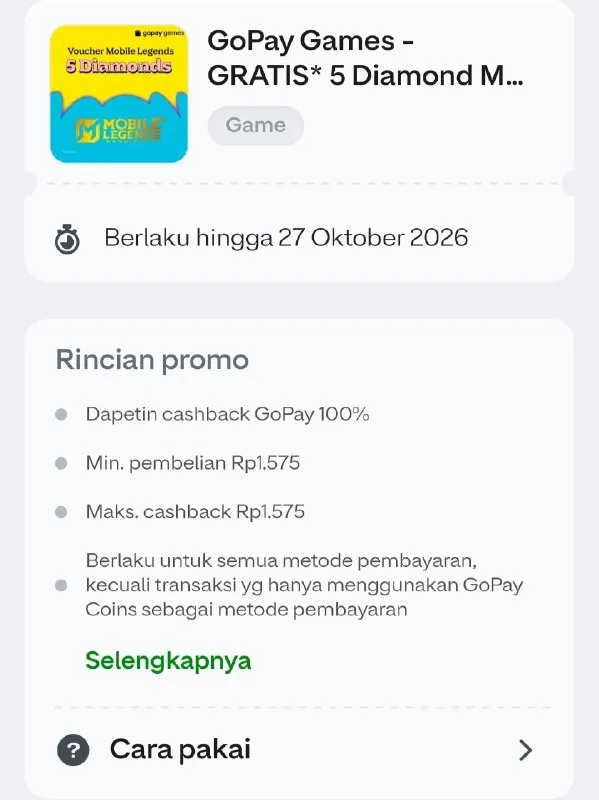
What You Need
- The GoPay app on your phone.
Tutorial
- Open the GoPay app on your phone.
- Tap Voucher Saya to get to the voucher screen.
- Enter the code GGDIAMONDKUNING. The reward is cashback paid in GoPay Coins, not a discount, so do not expect the diamond price itself to drop.
Wrapping Up
You now have the code and the three taps it takes to use it, all inside GoPay. GoPay Coins are the app's own reward points, so treat this as money back on a diamond purchase rather than a free top-up, and check your coin balance after you redeem to see what landed.
Does this still work?
Nobody's checked yet
Sign in to tell everyone how it went.
Continue with GoogleBe the first — one tap saves the next person an hour.
It takes 3 reports in 30 days to set the status.
More shares you might like
 ToolsHow to Redeem McDonald's Coupon Codes in the App1d27 views
 AIHow to Run AI Research Loops With PRAXIST2d35 views
 NewsWebMCP Skill and TypeScript Types for Agent Tooling3d35 views
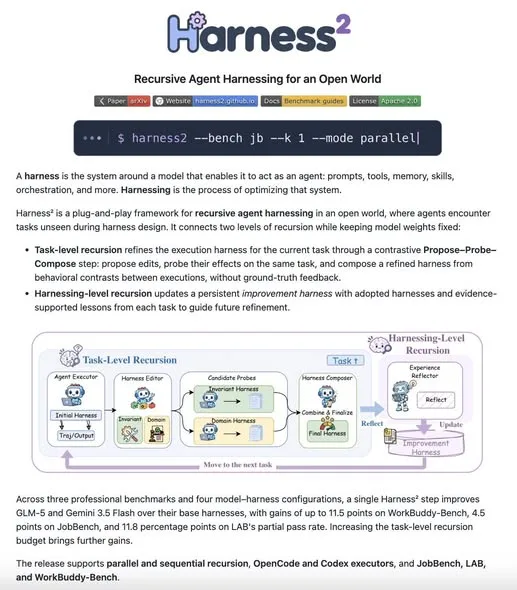 AIGoogle Open-Sources Harness² for Self-Improving AI Agents4d45 views
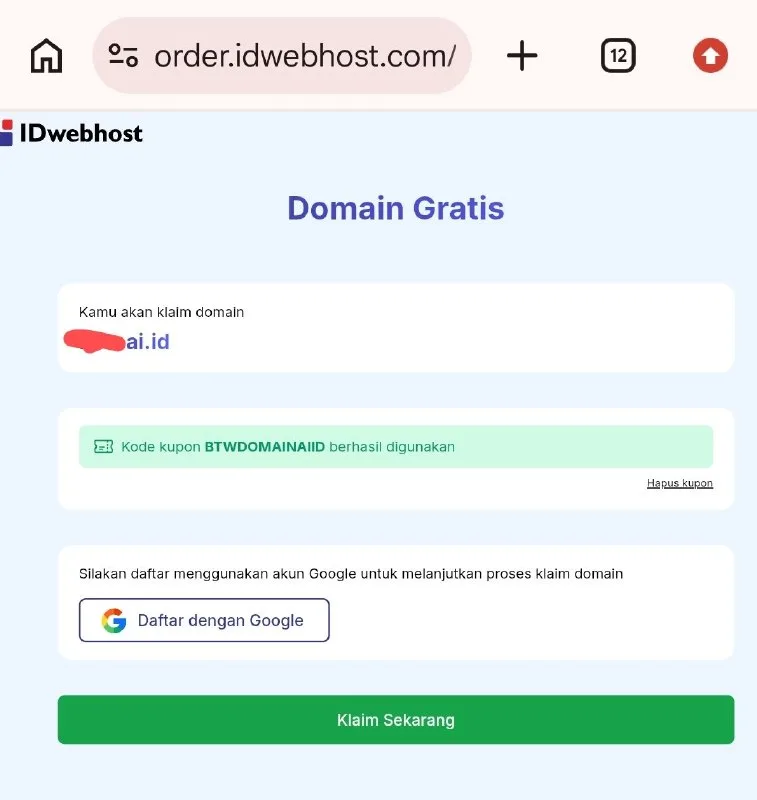 AIHow to Get a Free ai.id Domain4d104 views
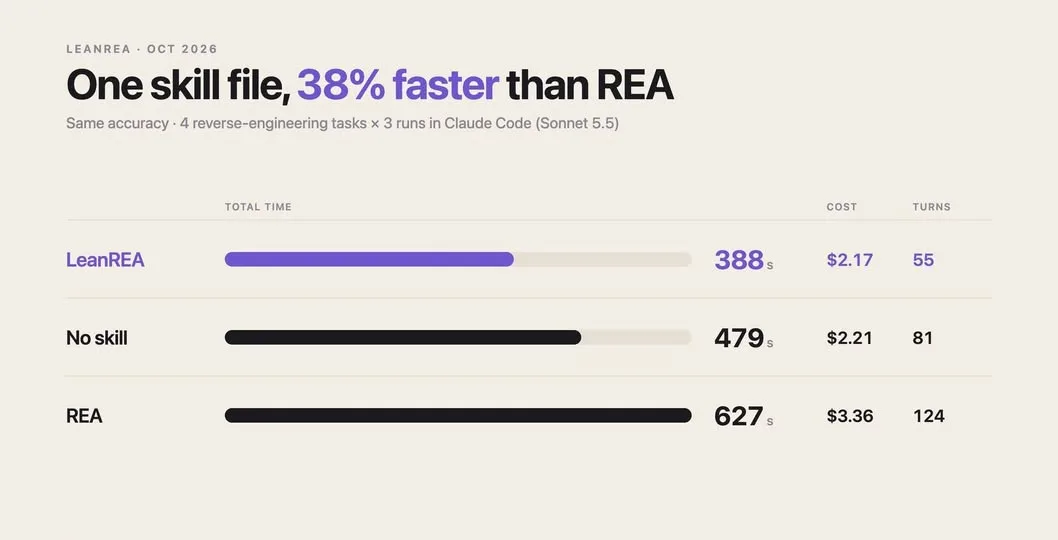 AILeanREA: Same Accuracy as REA, 38% Faster and 35% Cheaper5d52 views
Comments
Join the conversation — sign in to comment.
No comments yet — start the conversation!