
How to Set Up Free Temp Email With XTemp Mail
Need a throwaway inbox without handing your real address to every signup form? XTemp Mail is a free temp email service that launched today, and it runs on a domain you bring yourself. Add the domain, set one MX record, and you are done.
It costs nothing, and the whole setup comes down to two moves: your domain, then the MX record. No plan to pick, no card mentioned.
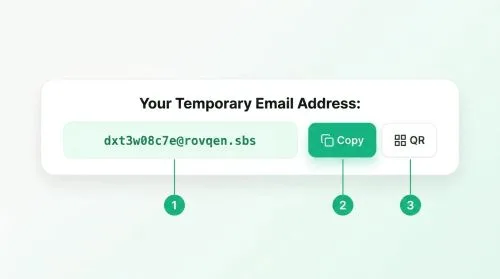
What You Need
- A domain whose DNS records you can edit.
Tutorial
- Open https://xrouter.biz.id/. That is the XTemp Mail site, live from its first day.
- Add your domain on the site. Use the domain you want your temp addresses to sit on.
- Set the MX record for that domain in your DNS panel. Once the MX is in place, the post says setup is done.
Wrapping Up
You now have free temp email running on a domain of your own, with one MX record standing between you and a working inbox. Keep in mind this is the first day of launch, so the service is brand new. Point it at a throwaway signup and see how it holds up before you lean on it for anything that matters.
Does this still work?
Nobody's checked yet
Sign in to tell everyone how it went.
Continue with GoogleBe the first — one tap saves the next person an hour.
It takes 3 reports in 30 days to set the status.
More shares you might like
 AIHow to Install hyperresearch for Deep Research in Claude Code1h6 views
 NewsGrabFood Vermuk Bypass: No Working Termux Script Exists1d24 views
 ToolsHow to Self-Host Apps and Databases With Dokploy1d32 views
 News44 AI Agents Ran a Hacking Campaign Against Japan2d37 views
 ToolsHow to Claim Free May.id Domains for a Year3d49 views
 AIHow to Get 300 Million Free GLM-5.3-Flash Tokens Daily4d83 views
Comments
Join the conversation — sign in to comment.
No comments yet — start the conversation!