
How to Build a Benable List for Amazon Affiliate Links
Hunting for a way to turn Amazon affiliate links into actual dollars? A Benable list can do it, and the whole thing comes down to how carefully you fill the list in. One list, around 15 products, and a real note on every single one.
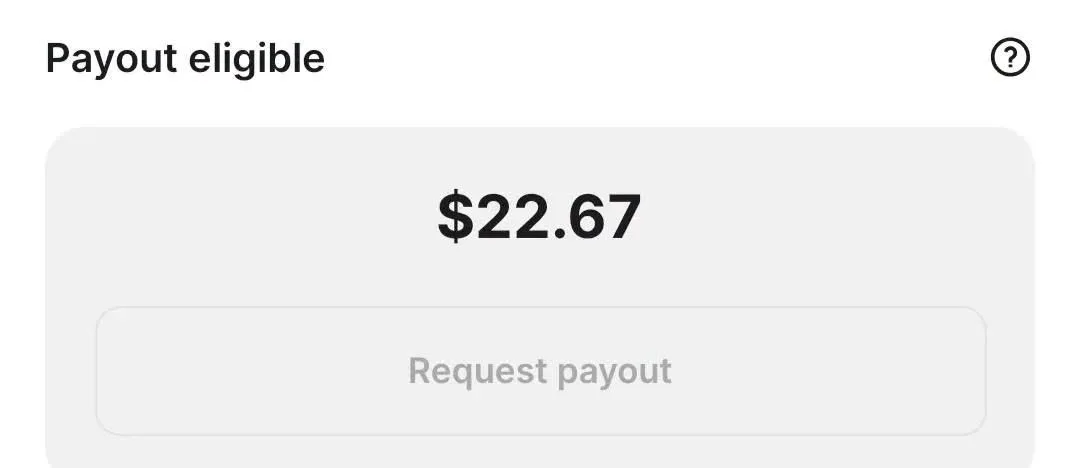
The money starts small, but it does come in dollars. Benable handles the grading for you too: get the structure and the descriptions right, and your list's status changes to Optimized.
What You Need
- An Amazon Associates account with your affiliate links.
- A Benable account to build the list in.
Tutorial
- Connect your Amazon affiliate account to Benable. Do this before you build anything, since the list you make there is what your Amazon links run through.
- Create a single list and give it a specific title and description. Skip the vague wording and say exactly what the list is about, because Benable judges the description along with everything else.
- Fill that one list with about 15 products. That is the count used here, and it was enough to make the list a real, finished thing rather than a handful of scattered items.
- Open Add Note on every product and write something real. Do not stop at "good" or "recommended" — say what situation the product gets used in, what it helps with, and add a short opinion of your own.
- Check the list until its status shows Optimized. Benable flips it once it decides your structure and descriptions are a good fit.
Wrapping Up
You now have a repeatable recipe: one list, a specific title and description, about 15 products, and an honest note on each one. Work through your own Amazon finds and let Benable tell you when the list is ready by watching for the Optimized label. It will not be fast money, but it is dollars.
Does this still work?
Nobody's checked yet
Sign in to tell everyone how it went.
Continue with GoogleBe the first — one tap saves the next person an hour.
It takes 3 reports in 30 days to set the status.
More shares you might like
 News44 AI Agents Ran a Hacking Campaign Against Japan10h19 views
 ToolsHow to Claim Free May.id Domains for a Year22h23 views
 AIHow to Get 300 Million Free GLM-5.3-Flash Tokens Daily1d44 views
 NewsShaders Brings Drop-In WebGPU Effects to Five Front-Ends2d34 views
 ToolsHow to Claim 3 Months of Make Pro for Free3d51 views
 Social MediaHow to Use Pinterest to Drive Amazon Affiliate Traffic4d52 views
Comments
Join the conversation — sign in to comment.
No comments yet — start the conversation!