
How to Download Media From Any Link Using Cobalt
Want to save a video, audio clip, photo, GIF, or any other media from the web? Cobalt lets you pull it down just by pasting a link.
It is free, open-source, and free of ads, trackers, and paywalls. The project has tens of thousands of stars on GitHub.
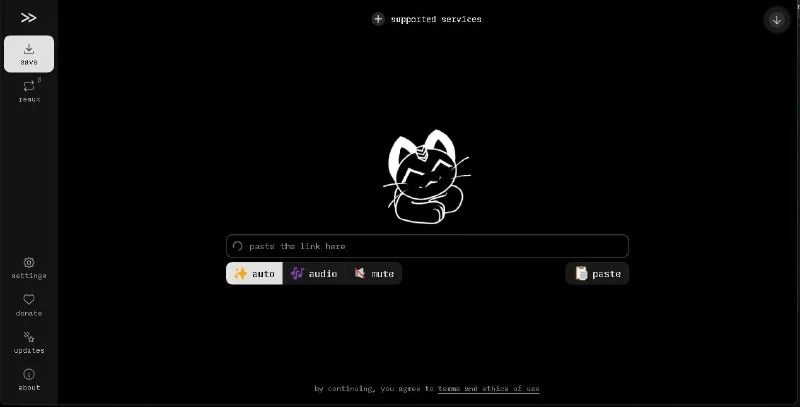
Tutorial
- Open the Cobalt site. The tool runs entirely in your browser.
- Copy the link to the media you want to download. Any public page with embeddable media works.
- Paste the link into the box on Cobalt. The tool reads the page and gets the media ready.
- Pick the download option you want. Cobalt shows the formats available for that specific link.
Wrapping Up
You now know the whole flow: open, copy, paste, download. Only grab content you are allowed to keep, and respect copyright.
Does this still work?
Nobody's checked yet
Sign in to tell everyone how it went.
Continue with GoogleBe the first — one tap saves the next person an hour.
It takes 3 reports in 30 days to set the status.
Read it later?
We'll email you the link to this share. Nothing else.
More shares you might like
 ToolsHow to Find Brand Campaigns in Amazon Associates1d32 views
 AIDeepSeek Refused 41 of 5,800 Prompts in Belgium ID Theft1d35 views
 AIQwen3.8-27B-pi-adapted: the reusable recipe drops this week2d47 views
 ToolsHow to Rent GPUs Inside Claude With /gpu3d57 views
 AIHow to Claim Mistral Vibe Pro Free With Code MISTRALVIBE4d164 views
 AIViralForge: AI tool that recreates the structure of viral shorts5d83 views

Comments
Join the conversation — sign in to comment.
No comments yet — start the conversation!