
How to Claim a YouTube Premium Trial for Rp0
Hunting for a way to try YouTube Premium for free? This claim portal gives you a trial for Rp0.
The offer costs nothing, but you have to claim it on the benefits page before you open YouTube.
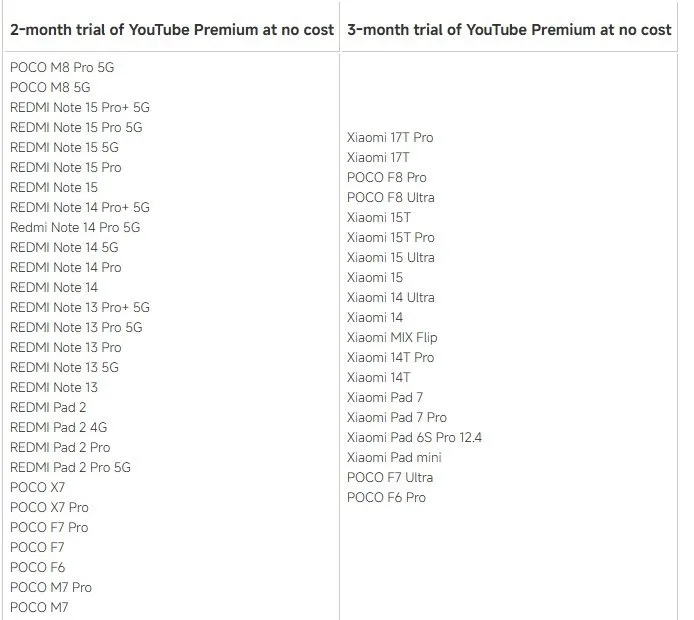
Tutorial
- Open mi.co.id/id/benefits/. This is where the YouTube benefit is listed.
- Click Claim YouTube. It starts the claim for YouTube Premium.
- Click Claim Now. Confirm the offer on the page.
- Open the YouTube app. Do this after the claim is confirmed.
- Go to Profile → Get Premium. The trial option shows up there.
- Select Try 2/3 month for Rp0. Your free trial is now active.
Wrapping Up
That's it — after selecting the Rp0 option, your trial is running. Enjoy YouTube without ads for the length of the trial.
Does this still work?
Nobody's checked yet
Sign in to tell everyone how it went.
Continue with GoogleBe the first — one tap saves the next person an hour.
It takes 3 reports in 30 days to set the status.
Read it later?
We'll email you the link to this share. Nothing else.
More shares you might like
 ToolsHow to Make Motion Graphics Videos With Claude1d33 views
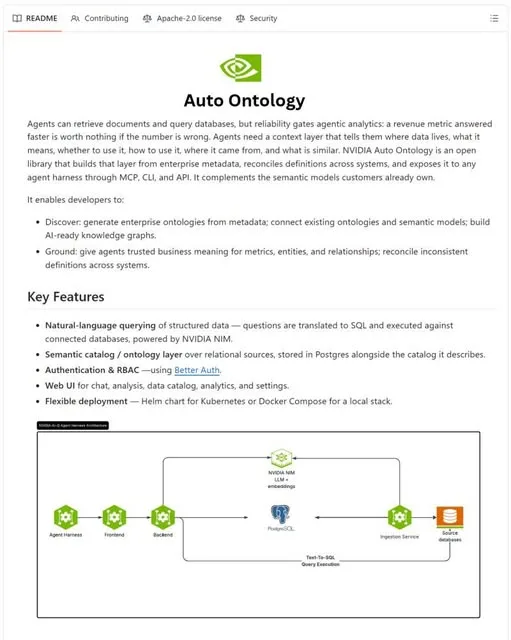 NewsNVIDIA Open-Sources Auto Ontology, a Semantic Layer for AI Agents2d46 views
 ToolsHow to Write Specs Coding Agents Can Build Without Guessing3d50 views
 AIParallel's Decisions API Grounds Decision Models With Live Web Search4d55 views
 How to Claim 1B Muse AI Tokens4d103 views
 ToolsHow to Use Rich Clicker Macro's Smart Auto Clicker5d59 views

Comments
Join the conversation — sign in to comment.
No comments yet — start the conversation!