How to Make AI Gold Extraction Videos in Google Flow
Ever seen those close-up videos of gold being pulled from old circuit boards? You can make your own with Google Flow and the prompt below.
No video editing skills needed — just paste the prompt, swap in an object, and let the AI do the work.
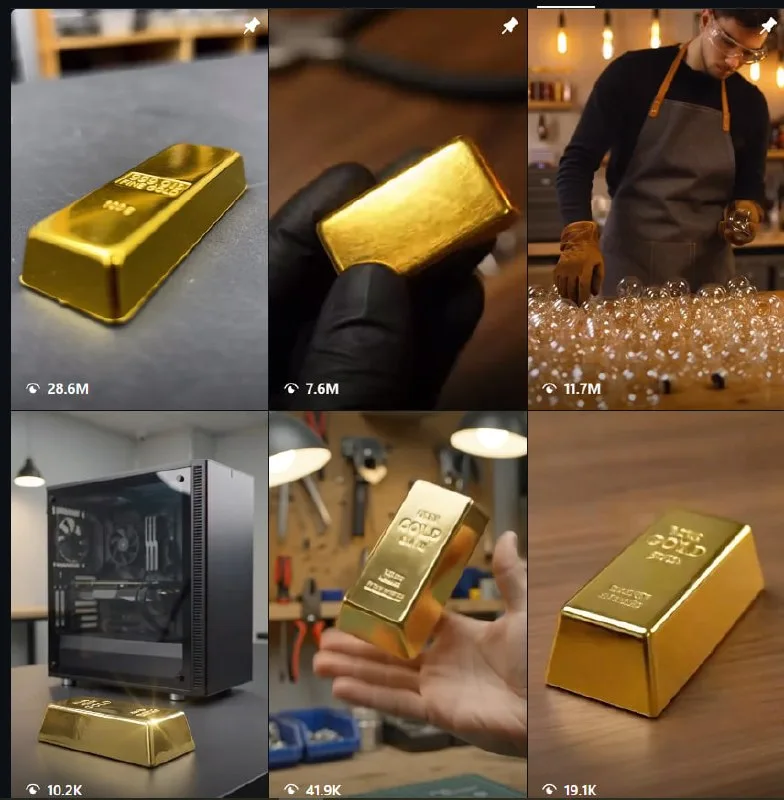
Tutorial
- Set up Google Flow and sign in.
- Open your Google Flow workspace.
- Create a new project and open it.
- Pick the AI model and choose 9:16 for the aspect ratio.
- Paste the prompt below, replacing [OBJECT] with your e-waste item.
ASMR macro sequence showcasing the complete process of extracting gold from e-waste. 1. A pair of gloved hands carefully disassembles [OBJECT] on a clean workbench, removing the outer casing, unscrewing components, disconnecting internal parts, and exposing the green circuit board with precise, satisfying movements. 2. Extreme macro close-ups capture precision tweezers delicately pulling shiny gold-plated pins from the exposed green circuit board and dropping them one by one into a small transparent glass jar with crisp metallic sounds. 3. The collected gold pins are placed into a ceramic crucible, where a roaring blue-orange torch flame gradually melts them into a brilliant pool of glowing liquid gold, with realistic heat shimmer, subtle sparks,- Click Generate, download the video, and edit it again.
Wrapping Up
You now have a ready-to-run prompt for a satisfying gold-extraction clip. Open Google Flow, drop in your own e-waste object, and see what it makes.
Does this still work?
Nobody's checked yet
Sign in to tell everyone how it went.
Continue with GoogleBe the first — one tap saves the next person an hour.
It takes 3 reports in 30 days to set the status.
More shares you might like
 AIHow to Get Free $200 Funds on Digital Ocean1y818 views
 AIHow to Claim 100M Free Tokens on CodeCraft API1w446 views
 AIHow to Use Google Flow for AI Car Unboxing Videos1mo79 views
 ToolsHow to Get 1 Month of Cursor Pro and Grok3w82 views
 AIHow to Claim GitLab Ultimate Free for 30 Days4d40 views
 NewsFree Domain Available at nic.eu.org1mo97 views
Comments
Join the conversation — sign in to comment.
No comments yet — start the conversation!