How to Browse 9,000 AI Video Prompts in One Library
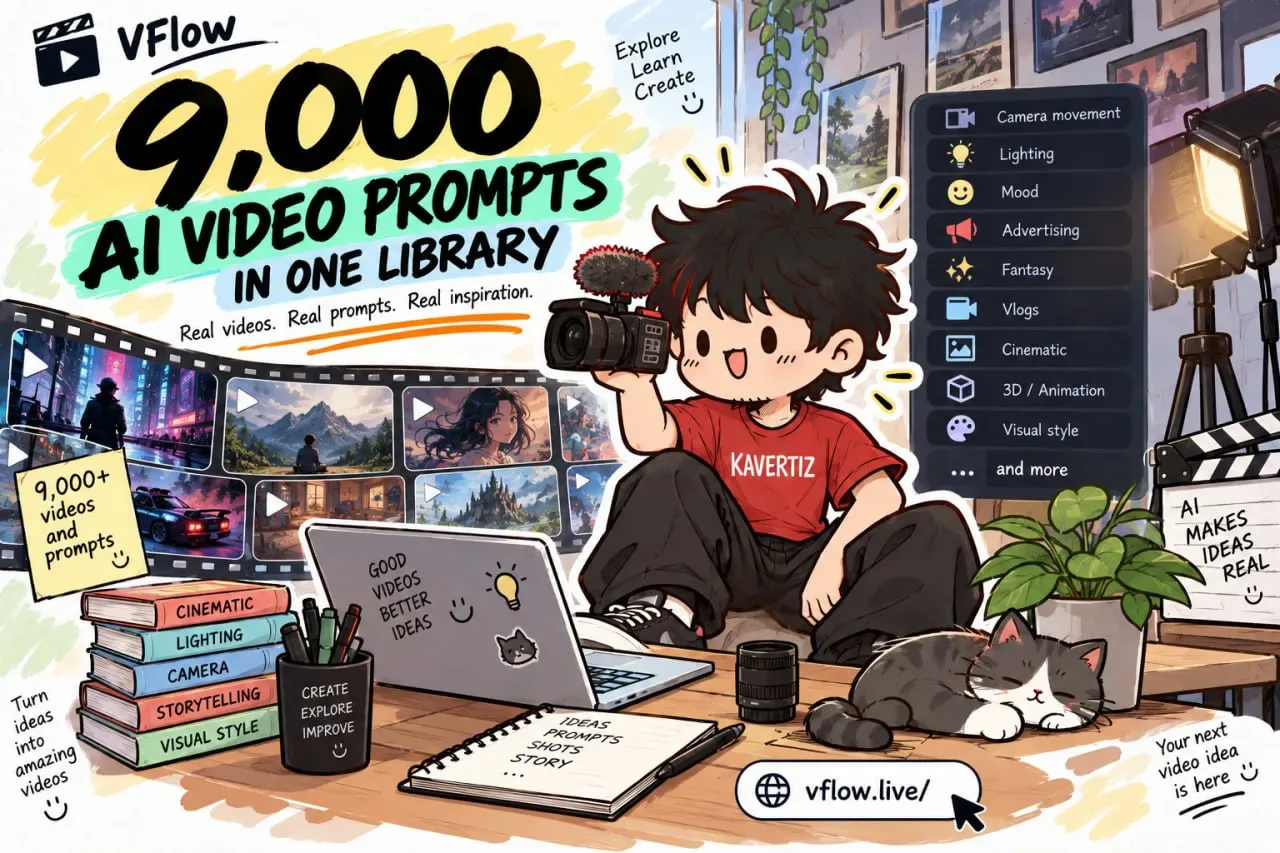
Looking for a camera move or a lighting look you can use for your next AI video? There is a library of around 9,000 AI-generated videos, each one paired with the prompt behind it.
Everything is filterable by the thing you are actually deciding — camera movement, lighting, mood, or a style like advertising, fantasy, or vlogs. That means you can study a single reference in seconds instead of digging through massive prompt dumps.
Tutorial
- Open https://vflow.live. The whole collection lives in one library: around 9,000 videos and prompts.
- Pick a filter such as Camera movement, Lighting, or Mood. The same list also sorts references by style, including Advertising, Fantasy, Vlogs, and more.
- Open an example and read its breakdown. Each one lists the key directing elements for that video, so you can copy the look without reading a wall of prompt text.
Wrapping Up
You now have a place to find AI video references by the thing you care about most, whether that is a slow camera push or a whole genre like fantasy. Browse a few examples before you write your next prompt — seeing how a shot was built beats guessing at it.
Does this still work?
Nobody's checked yet
Sign in to tell everyone how it went.
Continue with GoogleBe the first — one tap saves the next person an hour.
It takes 3 reports in 30 days to set the status.
More shares you might like
 AIHow to Get Free $200 Funds on Digital Ocean1y814 views
 AIHow to Claim 100M Free Tokens on CodeCraft API1w433 views
 AIHow to Use Google Flow for AI Car Unboxing Videos1mo77 views
 ToolsHow to Get 1 Month of Cursor Pro and Grok3w79 views
 NewsVideo2X Brings AI-Powered 4K Video Upscaling to Your Local Machine3w79 views
 NewsFree Domain Available at nic.eu.org1mo95 views
Comments
Join the conversation — sign in to comment.
No comments yet — start the conversation!