How to Make UGC-Style Ads With OpenShorts
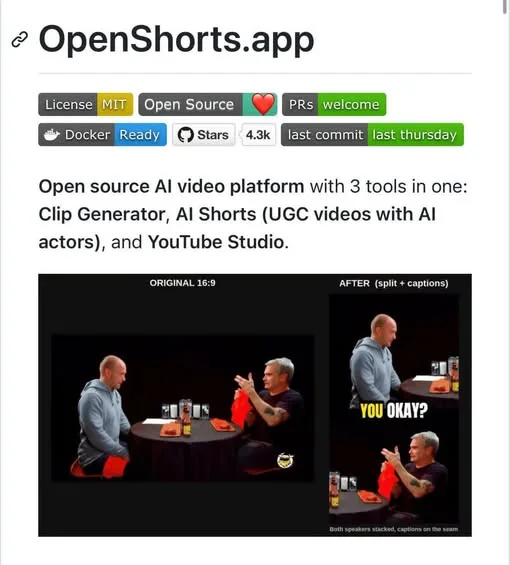
Want to make UGC-style ads without picking up a camera or hiring a film crew? OpenShorts is an open-source studio that runs on your own machine and turns a product link into a finished talking-head ad.
The repo already sits at 4K+ GitHub stars, and the self-hosted version leaves no watermark. The catch is that the studio is free, but the AI actors and voices behind it still run on paid APIs.
What You Need
- A machine of your own to self-host OpenShorts on.
- Paid API access for the AI actors and voices.
Tutorial
- Paste a product link into OpenShorts. Everything downstream builds off that one link instead of footage you shot yourself.
- Let the AI write the script. You do not write the copy.
- Generate an AI actor to be the spokesperson. No camera, and no filming yourself.
- Give the actor a voice. This is one of the parts that runs on a paid API, not on the free studio.
- Sync the lips to that voice track.
- Add B-roll, subtitles and hook overlays on top. That is what turns the raw talking head into a finished ad.
- Drop in a long-form video if you want clips instead of an ad. The workflow does not stop at ads.
- Let it find the best moments in the footage.
- Track the speaker's face through the clip.
- Turn them into vertical clips for TikTok, Reels and Shorts.
- Generate thumbnails for the clips.
- Create titles and descriptions for each one.
Wrapping Up
You now know the whole path: product link in, AI spokesperson out, and a second path that cuts long videos into vertical clips. The studio costs nothing to self-host and drops the watermark, but budget for the cloud AI that powers the actors and voices. If you already have that API access, this is a way to get finished UGC-style ads without a film crew.
Does this still work?
Nobody's checked yet
Sign in to tell everyone how it went.
Continue with GoogleBe the first — one tap saves the next person an hour.
It takes 3 reports in 30 days to set the status.
More shares you might like
 AIHow to Get Free $200 Funds on Digital Ocean1y813 views
 AIHow to Claim 100M Free Tokens on CodeCraft API6d416 views
 NewsFree Domain Available at nic.eu.org1mo94 views
 AIPlayco Reports 50% Fewer Manual Fixes With GPT-6 Astra1w48 views
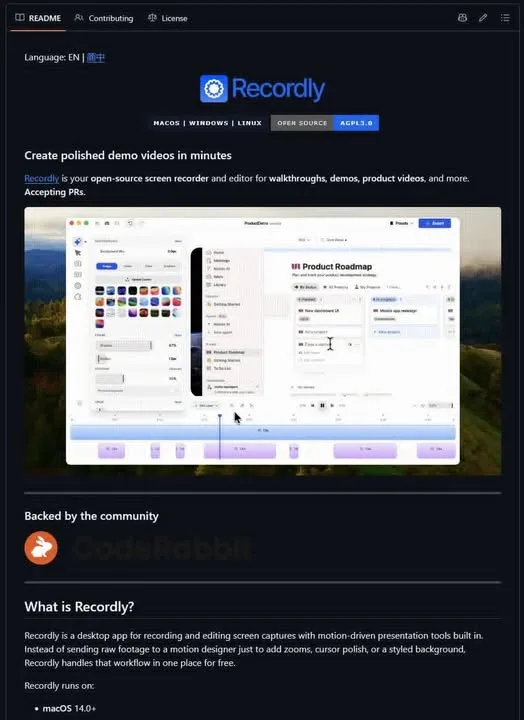 NewsRecordly: Open-Source Screen Recorder and Video Editor1h6 viewsAIHow to Claim $25 in Free Grok API Credits1h6 views
Comments
Join the conversation — sign in to comment.
No comments yet — start the conversation!